
What is a blog post? A blog post is an article published on a blog or website to share information, answer questions, or discuss a specific topic.
Blog posts can be anything from step-by-step tutorials and product reviews to personal stories and industry news. Unlike regular website pages, they’re usually part of an ongoing collection of articles.
Let’s look at how blog posts work, the different types, and what makes a good one.
Key Takeaways
- A blog post is an individual article published on a blog or website.
- Blog posts can educate, entertain, share opinions, or help readers solve problems.
- Common formats include tutorials, lists, reviews, and personal stories.
- Anyone can create blog posts using platforms like WordPress.
What’s the Difference Between a Blog and a Blog Post?
People often use the terms blog and blog post interchangeably, but they mean different things.
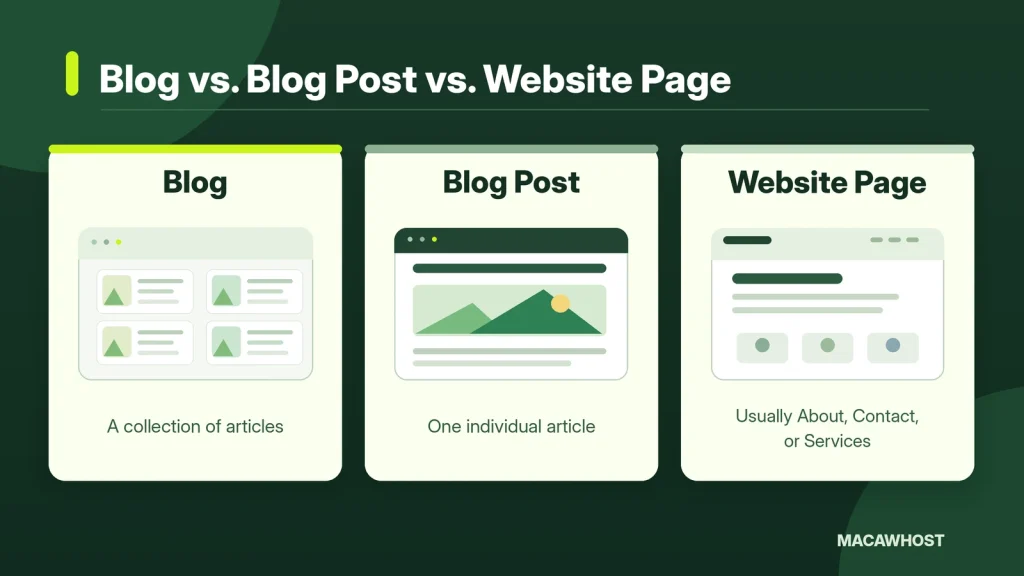
- Blog: A website or section of a website that contains a collection of articles.
- Blog post: An individual article published within that blog.
- Website page: A page typically used for information such as About Us, Contact, or Services.
For example, MacawHost has a blog containing articles about web hosting, WordPress, and online business. Each article you read is a separate blog post.
Blog posts are commonly displayed with the newest articles first, although websites can organize them differently.
What Is a Blog Post Made Of?
Most blog posts follow a simple structure that makes them easy to read.
Here are the main elements:
- Title: Tells readers what the article is about.
- Introduction: Explains the topic and what readers will learn.
- Headings and paragraphs: Organize the information into clear sections.
- Images or examples: Help explain ideas when visuals are useful.
- Conclusion: Summarizes the main point or suggests a next step.
Posts may also include an author name, publication date, categories, tags, and a comments section.
Not every blog post needs all these elements. What matters most is delivering useful information in a format readers can follow.
5 Common Types of Blog Posts (With Examples)
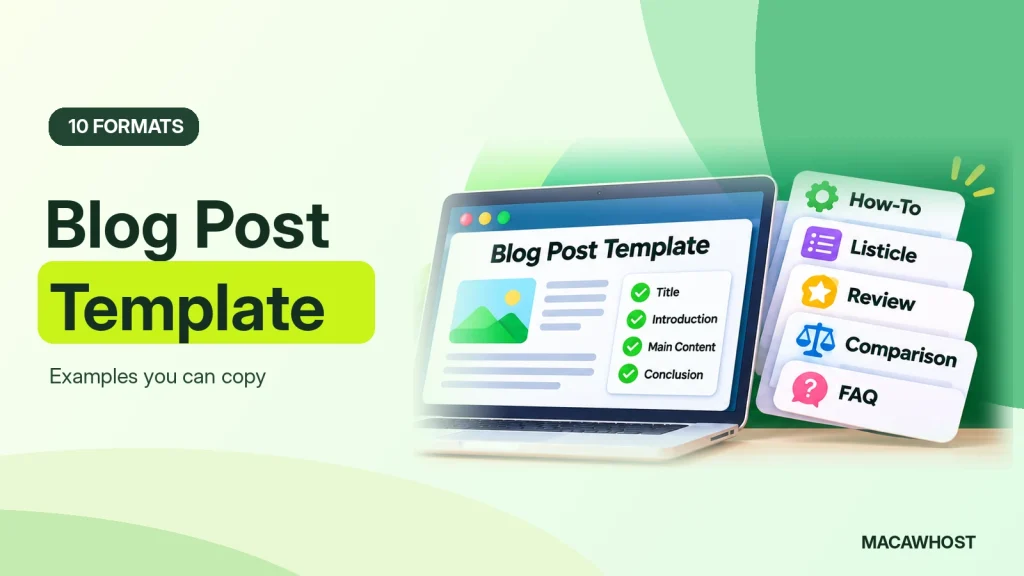
Different blog post formats serve different purposes. Here are five common types.
1. How-To Guides
These posts teach readers how to complete a task, usually through numbered steps.
Example: “How to Install WordPress on Your Website”
How-to articles work particularly well for tutorials, troubleshooting, and beginner guides.
2. Informational Posts
Informational posts explain a subject or answer a question.
For example, our article on what a WordPress theme is helps beginners understand how themes control a website’s appearance.
These articles are useful when readers want a clear explanation without unnecessary technical details.
3. List Posts
Also called listicles, these articles organize information into a numbered or bulleted list.
Example: “10 Blog Post Ideas for Beginners”
List posts are useful for tips, recommendations, and collections of resources.
4. Reviews and Comparisons
These posts help readers evaluate products, services, or tools before making a decision.
For example, our guide to the best web hosting control panels for beginners compares different options and explains their features.
Good comparison posts discuss advantages, limitations, and important differences fairly.
5. Personal Stories and Experiences
Personal blog posts share experiences, lessons, or opinions.
Example: “What I Learned During My First Year of Blogging”
These posts often use a conversational tone and help readers connect with the author.
What Is a Blog Post Used For?
Blog posts aren’t just for personal websites. Businesses, educators, and organizations use them for several reasons.
- Sharing knowledge: Explain topics and provide helpful advice.
- Attracting visitors: Answer questions people search for online.
- Building trust: Demonstrate knowledge and help readers make informed decisions.
- Connecting with readers: Encourage discussions and share experiences.
For businesses, useful articles can also introduce potential customers to their services. However, not every post needs to promote a product.
The best starting point is understanding what your audience wants to know.
How to Write Your First Blog Post
You don’t need to be a professional writer to start blogging.
Follow these five steps:
1. Choose a Specific Topic
Pick something you understand or are willing to research.
Instead of writing about a broad subject like “Technology,” focus on a question such as “How Does Web Hosting Work?”
2. Create a Clear Title
Your title should explain what readers can expect.
Avoid vague or exaggerated headlines. A simple, descriptive title is usually more useful.
3. Organize Your Content
Create a short outline with an introduction, main headings, and key points.
This makes writing easier and helps readers find the information they need.
4. Write Naturally
Use short paragraphs, simple language, and practical examples.
Answer the main question early rather than making readers scroll through a long introduction.
5. Edit and Publish
Check spelling, grammar, accuracy, and formatting before publishing.
If you’re using WordPress, go to Posts → Add New Post to create your article. Add your title, content, and relevant category, then preview and publish it.
You can always update the article later when information changes.
How Long Should a Blog Post Be?
There’s no fixed word count that every blog post should follow.
A simple question might only need a few hundred words, while a detailed tutorial may require much more.
Focus on covering the topic properly rather than reaching an arbitrary length.
A good blog post should be:
- Easy to read and understand
- Relevant to its title
- Accurate and genuinely helpful
- Organized with clear headings
- Free from unnecessary repetition
If readers can find the answer they need without struggling through the content, you’re on the right track.
Ready to Start Your Own Blog?
Now that you understand what a blog post is, the next step is choosing a topic and publishing your first article.
To create your own blog, you’ll generally need a blogging platform, a domain name, and web hosting.
If you’re new to these concepts, start with our beginner guides on what a domain name is and what web hosting is.
You don’t need a complicated setup or dozens of articles to begin. Start with one useful post, write for your readers, and build your blog from there.